


I have a typewriter than writes in my handwriting. Well, nearly, and not actually a typewriter.
I’ve wanted a USB Typewriter for a long time, but they are too expensive for my tastes, and I’m too useless at hardware for the conversion kit, no matter how easy they say it is.
I’ve also wanted a drawing machine to write in my handwriting, which it does, kinda, via Kitty.
But what I’ve secretly wanted is a typewriter that writes in my handwriting. Although “Robot Draw” tells me (over on TikTok of all places) “you want a panasonic penwriter”, which I didn’t even know existed - and while now I want one, it doesn’t do what I want.
Instead I have this…
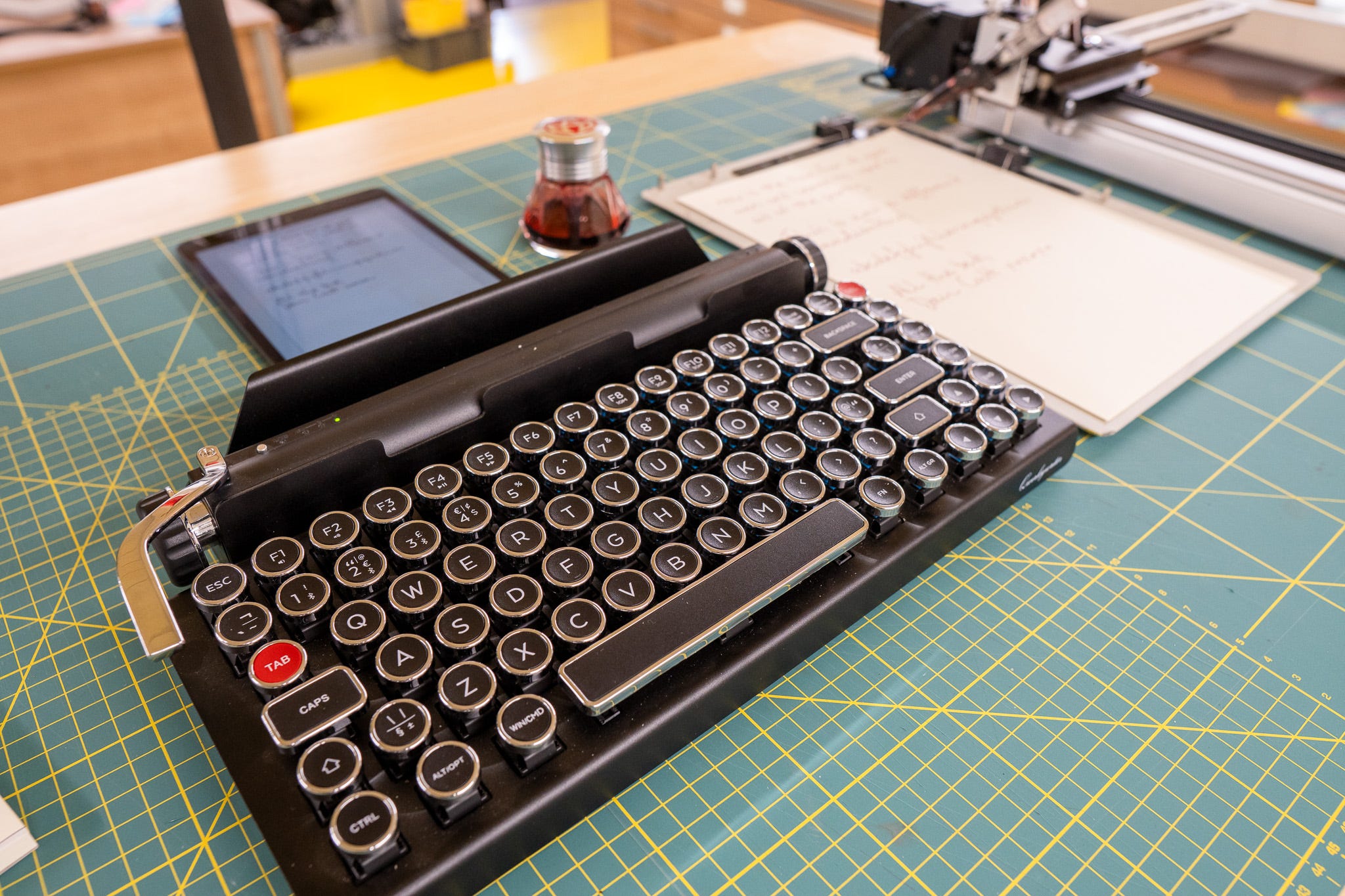
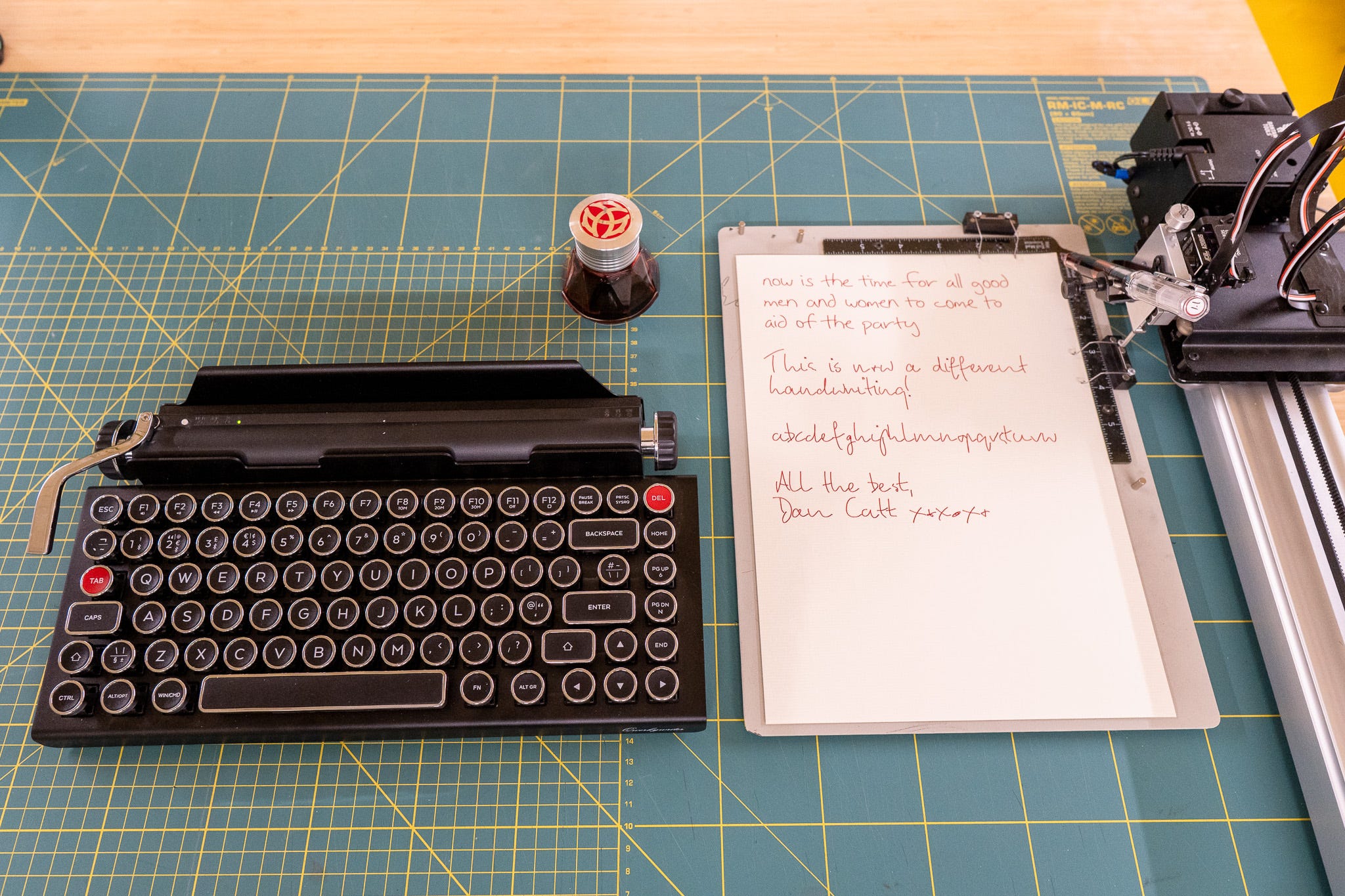
…a much less expensive QwerkyWriter bluetooth keyboard, which looks like a typewriter keyboard.
I’ve been kinda documenting the progress over in Instagram Reels, while also recording some more BTS for YouTube sometimes later this month. It’ll be a video diary of sorts, but also going into a few more details.
The video at the top of this newsletter is a calmer extract from the whole thing, which I enjoyed enough to clip it out as a separate short video.
The Patreon peeps are definitely getting something writing related posted out them this month, as I’m also documenting to the process over there a bit too.
There’s still a fair bit of work to do, but I’m pleased with the Frankenstein Monster of previous code bolted together that exists now.
Next thing to add; my actual handwriting, and the ability to backspace and correct mistakes if you do it quickly enough before the plotter catches up - and a way to cross out words if you don’t.
For more awesome typewriter hacking, check out Anna Lucia’s Instagram, who’s been doing some really fun stuff.
# DRAWINGBOTS DOT NET
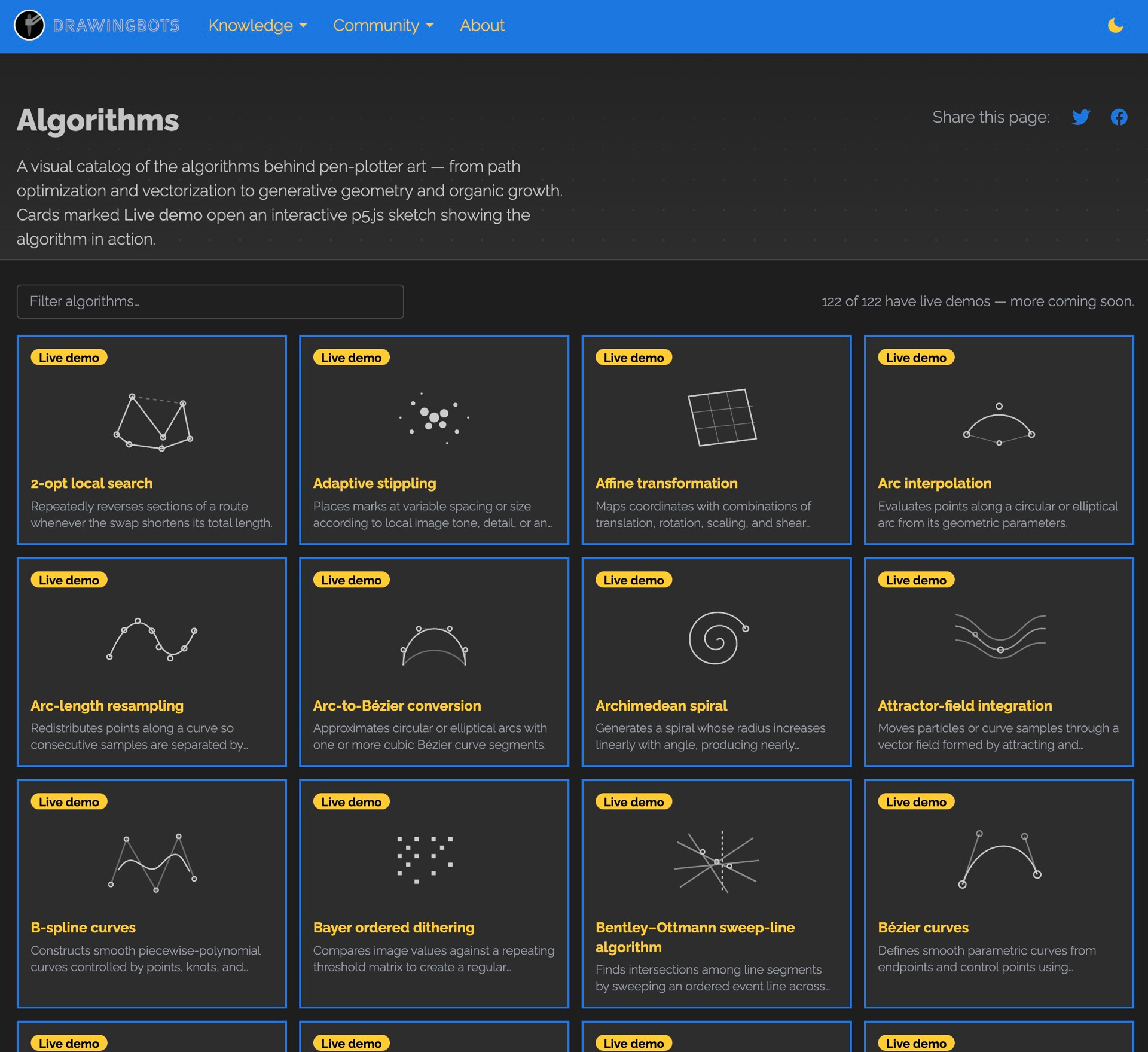
Maks, (also of recently Bantam Tools acquired plotterfiles), posted over 50, 122 (holy shit) algorithms for vectors and pen plotter art. Each comes with a live demo, and the source code you can grab. Which is an incredibly generous resource.
Worth it for the various dithering algorithms alone.
It sort of feels like it’s somehow connected to Bantam Tools’ recently released Hatch app for the iPad.
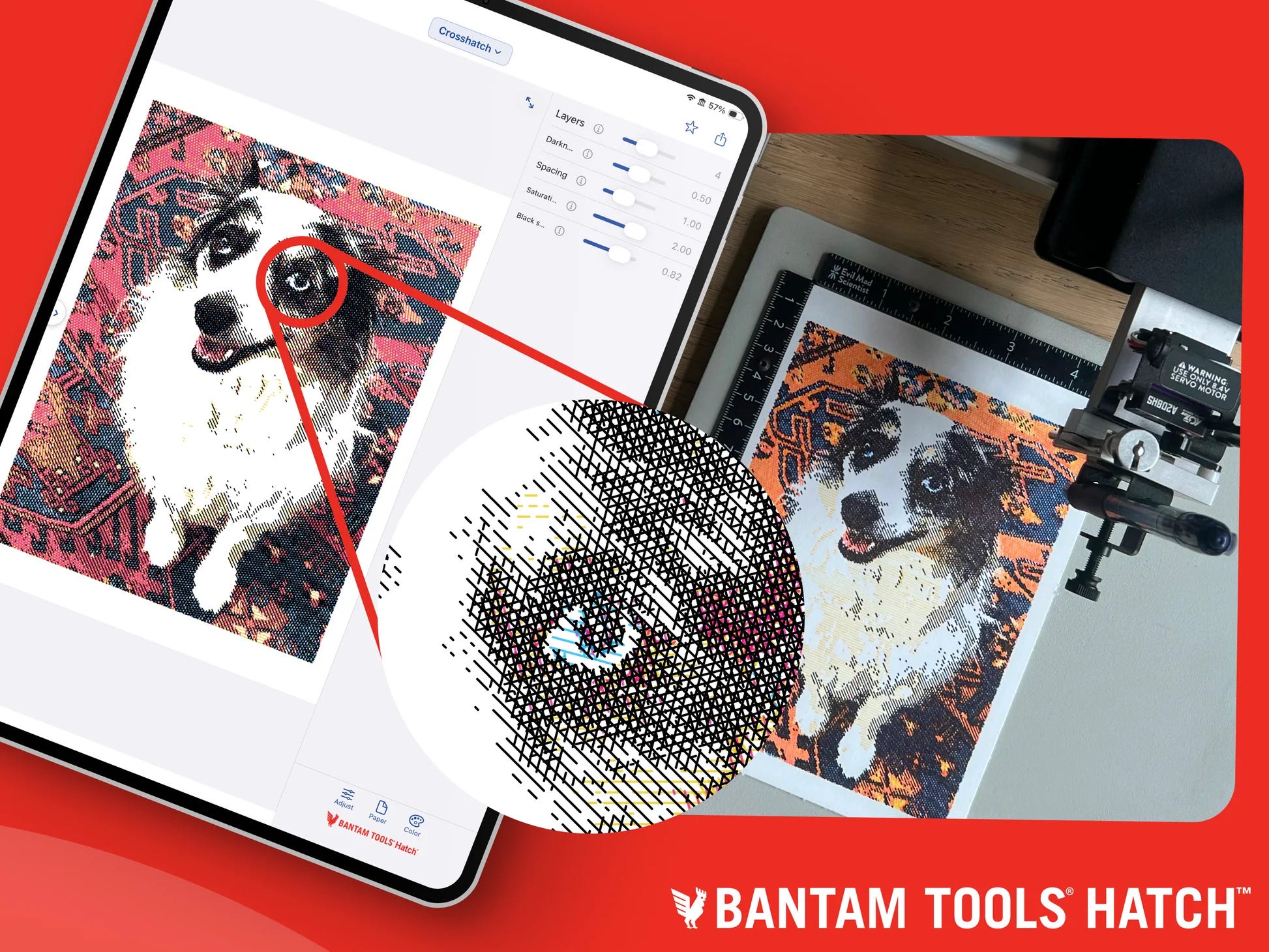
Which is…
“Free for full use up to 5 × 7 in.
Unlock larger page sizes for only $9.99
one-time in-app purchase”
I’m not totally sold on the $9.99 price point to be honest, also vectors are, like, scalable, so the size limit seems more like a density limit, but what do I know 🤷♂️
DrawingBotV3 is priced at $89, with 50+ styles.
Hatch has four styles ∴ $2.50 per style, DrawingBotsV3 is $1.78 per style, if you can even compare them like that, which I suspect you can’t.
Both are probably in the firing line of someone just pointing Claude Code at them and saying “Build me a custom version that style, please”.
Meanwhile I’m still searching for good lightfast CYMK ink options.
# MEANWHILE OVER ON REDDIT
Bedirhan posted about his 3d printed pen automatic changing system, which involves both the hardware and software agreeing with where these things live in physical space to swap them.
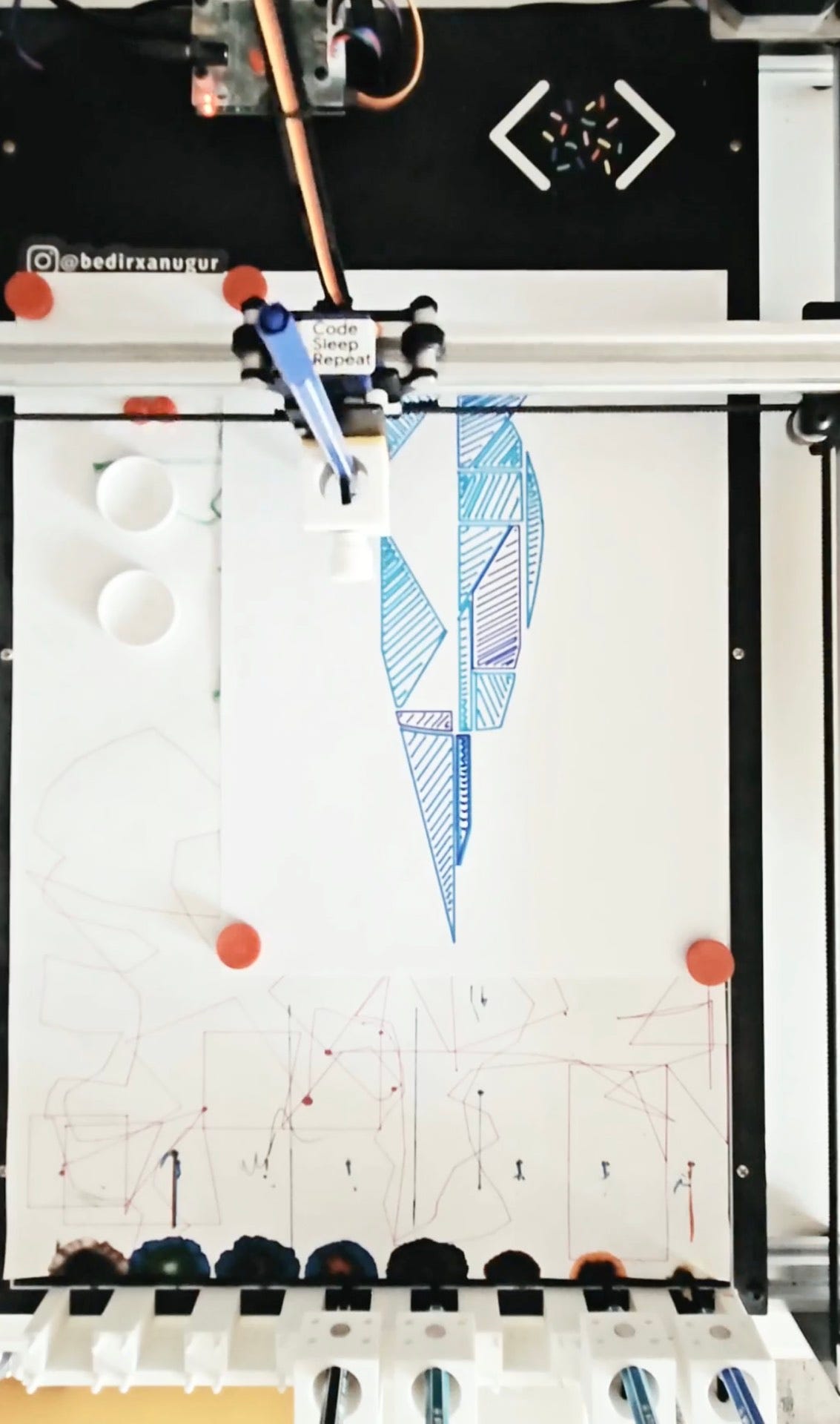
I think it involves magnets; I’ve sometimes wondered if it was possible to have a system where the magnets are strong enough to hold the pen firmly enough to not wobble, but not so strong that it can’t pull and separated each pen holder. I guess it is possible and Bedirhan has figured it out 🎉
More of this please, from Vlad.
I wanna know more about Ken’s IsoCity, ‘cause it looks amazing.
“Buildings are authored in 3D, but as boxes/prisms and 3D polylines, not triangle meshes. Each building is a Solid. 3D faces (for occlusion) plus Stroke polylines (edges, windows, hatch etc). Those strokes are then -projected to 2D and clipped against the faces. No mesh generation, no 2D *draw the box" path”
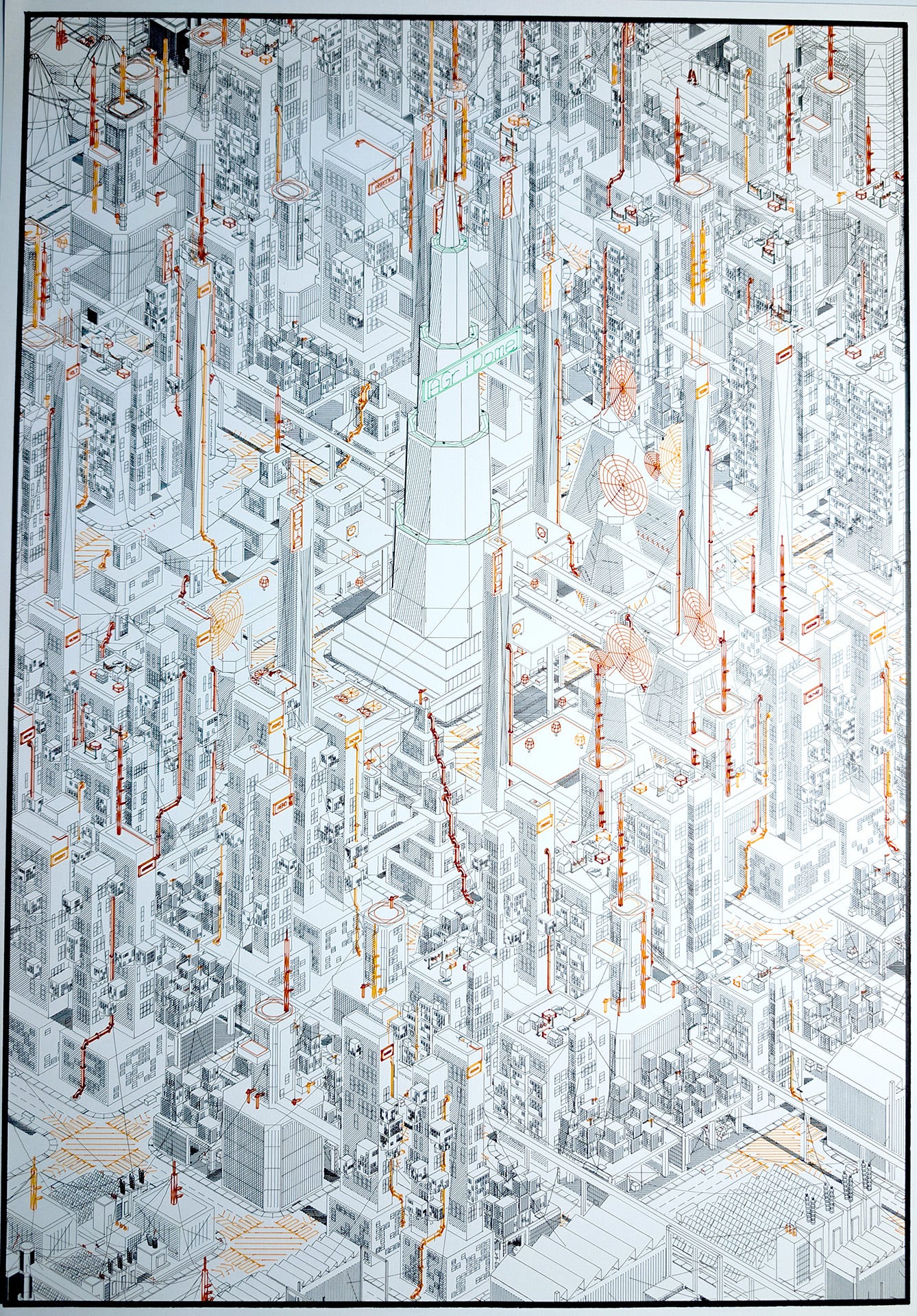
https://www.reddit.com/r/PlotterArt/comments/1w2j4ms/isocity_large_format
# THE END
I don’t really do numbers, but clearly that’s not true as I knocked up this little widget to sit on my YouTube dashboard and guestimate how long it’d take to get to 10,000 subscribers.
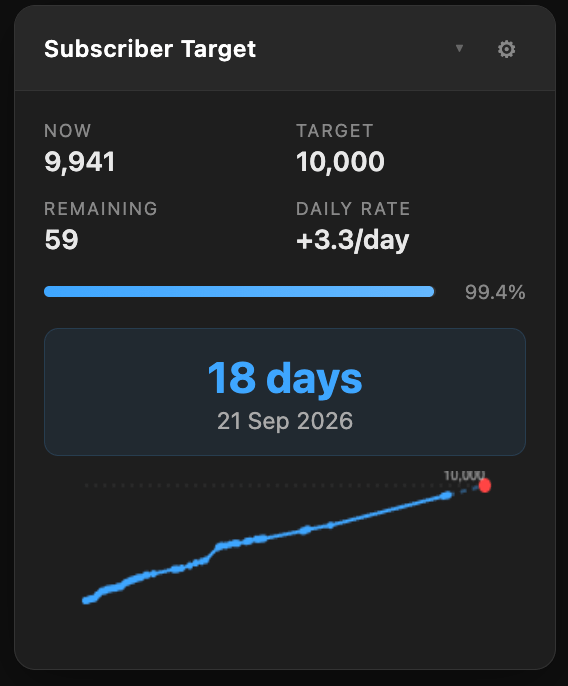
18 more days apparently, which is four more days than when the next newsletter comes out; Thursday 17th September, 2026.
So perhaps my YouTube channel will have hit 10k by then, although I’m not sure if that milestone really means anything nowadays.
I’ve put a few more Drawing Machine 101 tutorial videos up, with a couple more ready to go out in the next two weeks, which is nice. I’m also going to be getting back into posting some non-tutorial videos, and I think the next newsletter will have a whole bunch of thoughts about that.
UNTIL NEXT TIME MY FRIENDS!
Love you all
Dan
🧡
Whoa this is crazy
always interesting stuff!!