


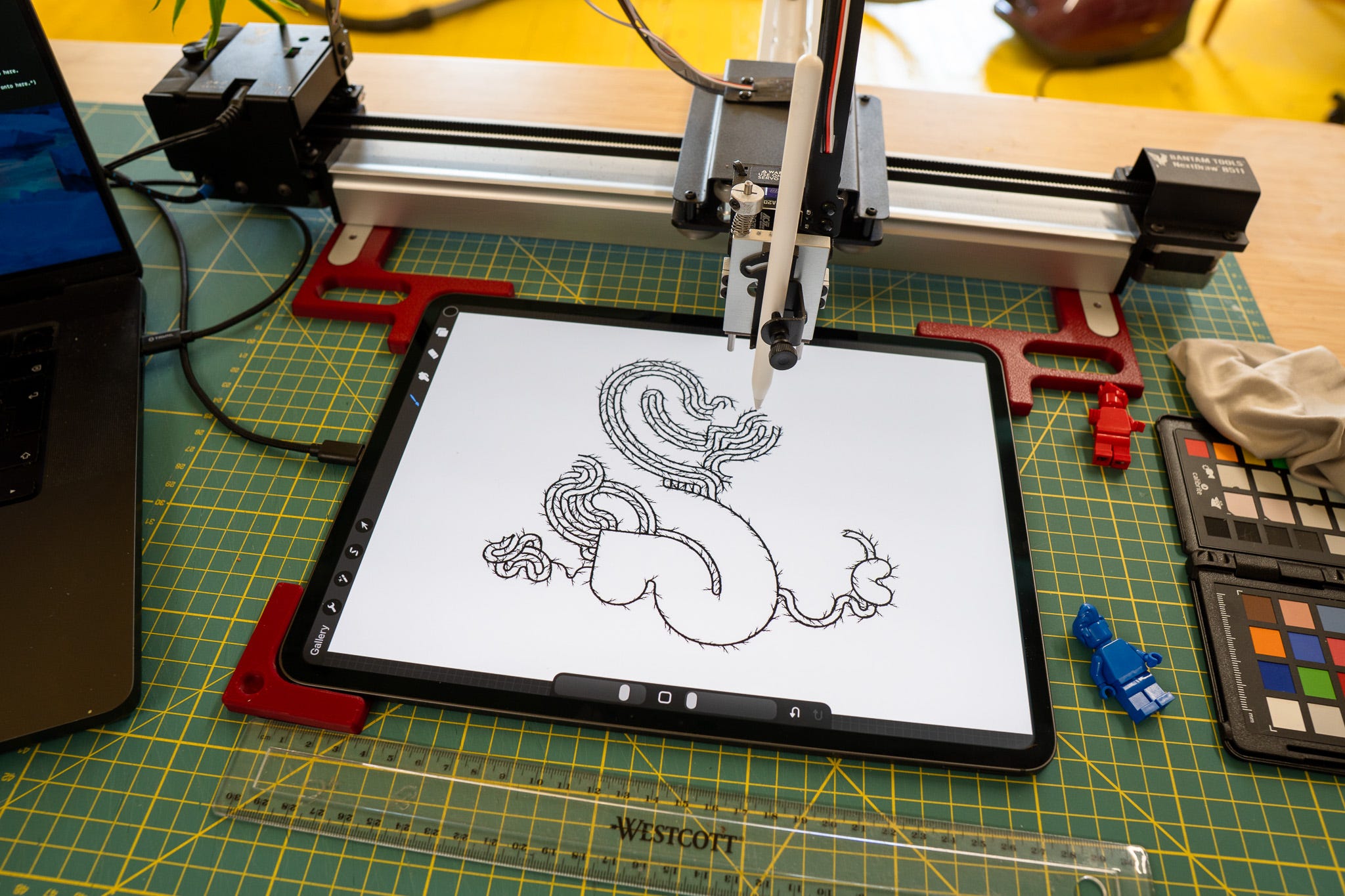
Well, hello, and welcome from London, where I’m currently melting; it’s hot down here and full of people. Honestly I don’t know how you do it.
I’ve been playing some more with the drawing machine and the iPad. I’ve “taught it” how to paint; i.e. coded in the position of the colour palette, and the brush selector, the the plotter can hit those parts of the screen.
Here’s a classic-ish “Pop” design, but drawn in a brush specifically designed for those “pile of bones” thrash metal logos.
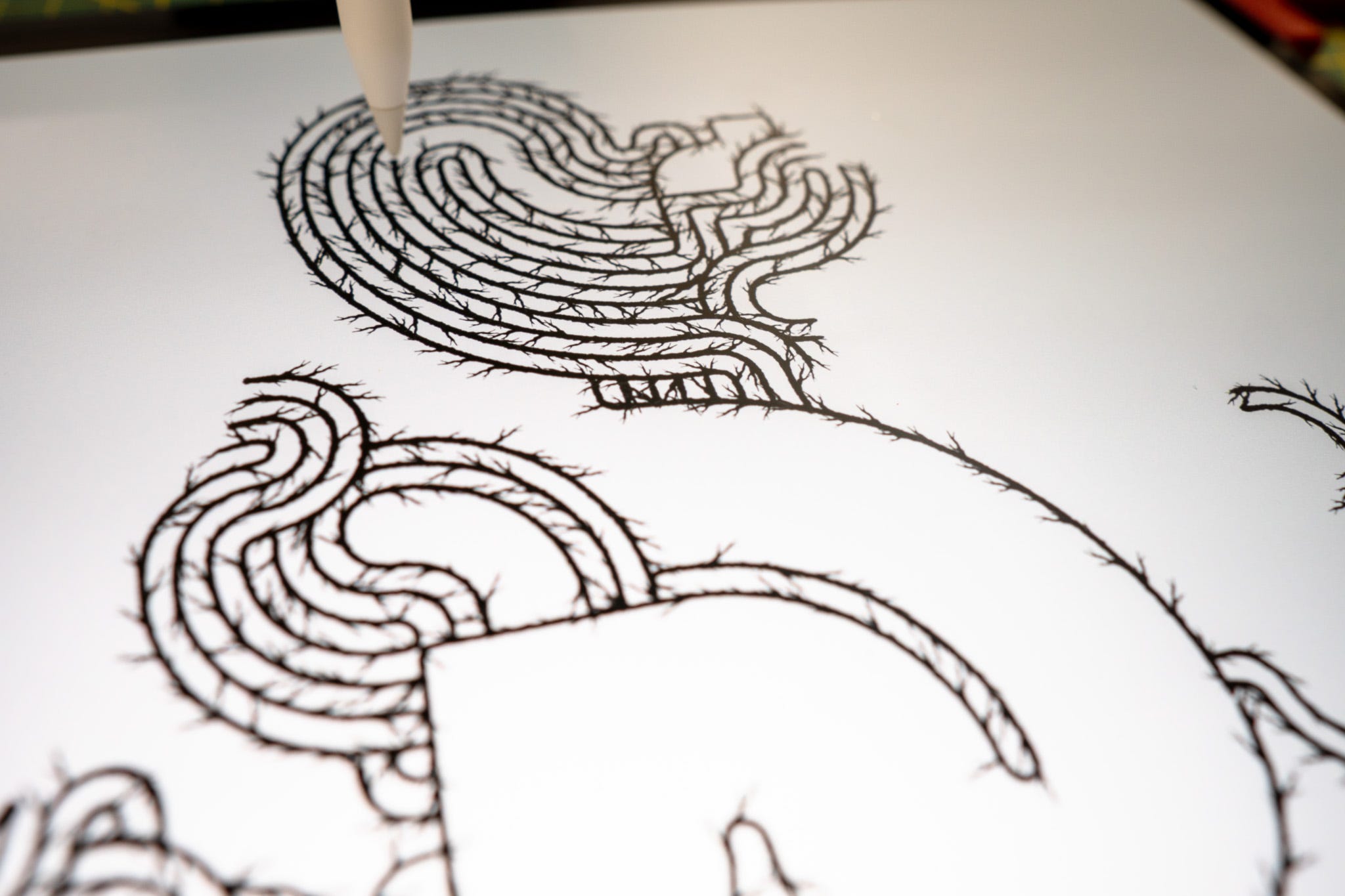
Some did ask “but why?” - and “can’t you just do that with brushed along a path in Illustrator?” or similar - which is a fair question.
But where I wanted to take it was somewhere here (but good-er).
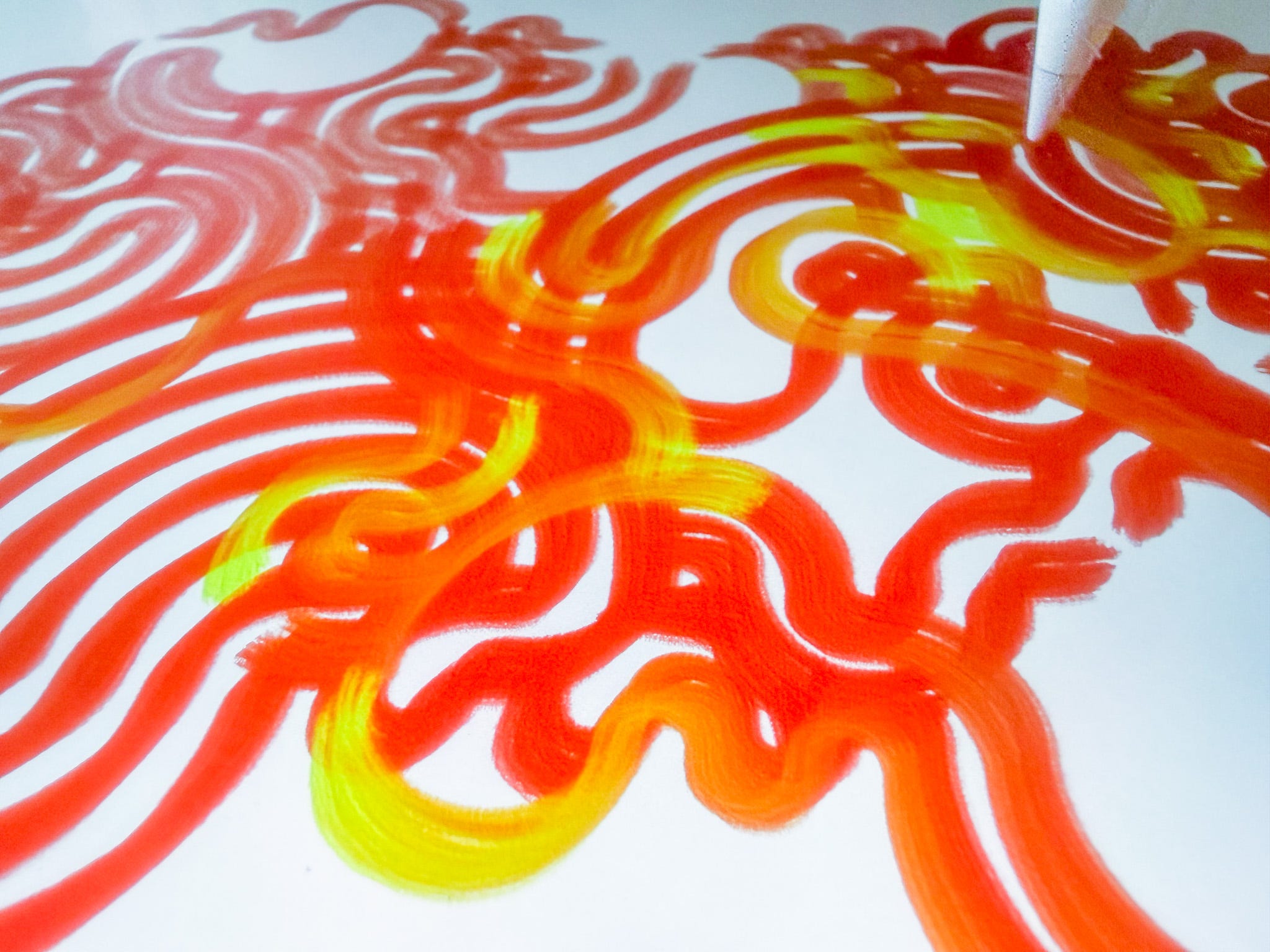
Which is using the Adobe Fresco iPad app that has some simulated colour mixed in it. Above is showing it dragging yellow “oil paint” through thick chunk red paint. Which is something you can’t do easily, if at all, with vectors in Illustrator.
Here’s another with the “Ghost” plot, and thinner lines.
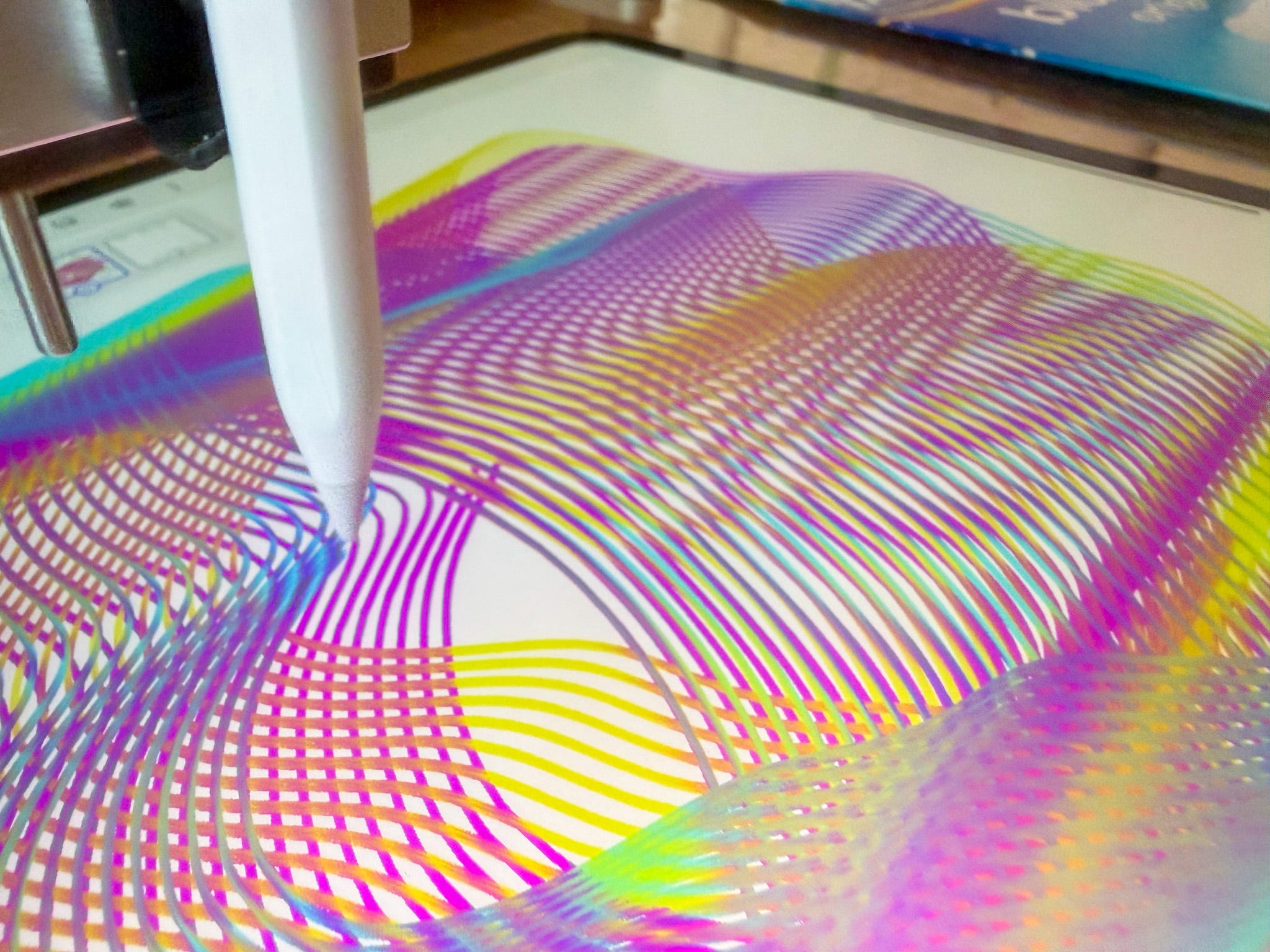
Where if you look closely at the lines to the front, you can see the blue mixing in with the yellow, and yellow smudging the magenta lines.
I was supposed to send out the monthly postcards and cards to the Patreon people yesterday, but I asked them to give me another week as I felt there was a bit more to explore before I land on the final things.
Well, technically and artistically there’s a lot more to explore in this weird digital - analogue - digital thing going on. Pen plotting with digital pigment is a curious thing, and yet next month we’ll be moving onto something else!
Behind the scenes, the technical stuff isn’t complicated and there’s easier (I think) ways of doing this, but this is what I’m doing…
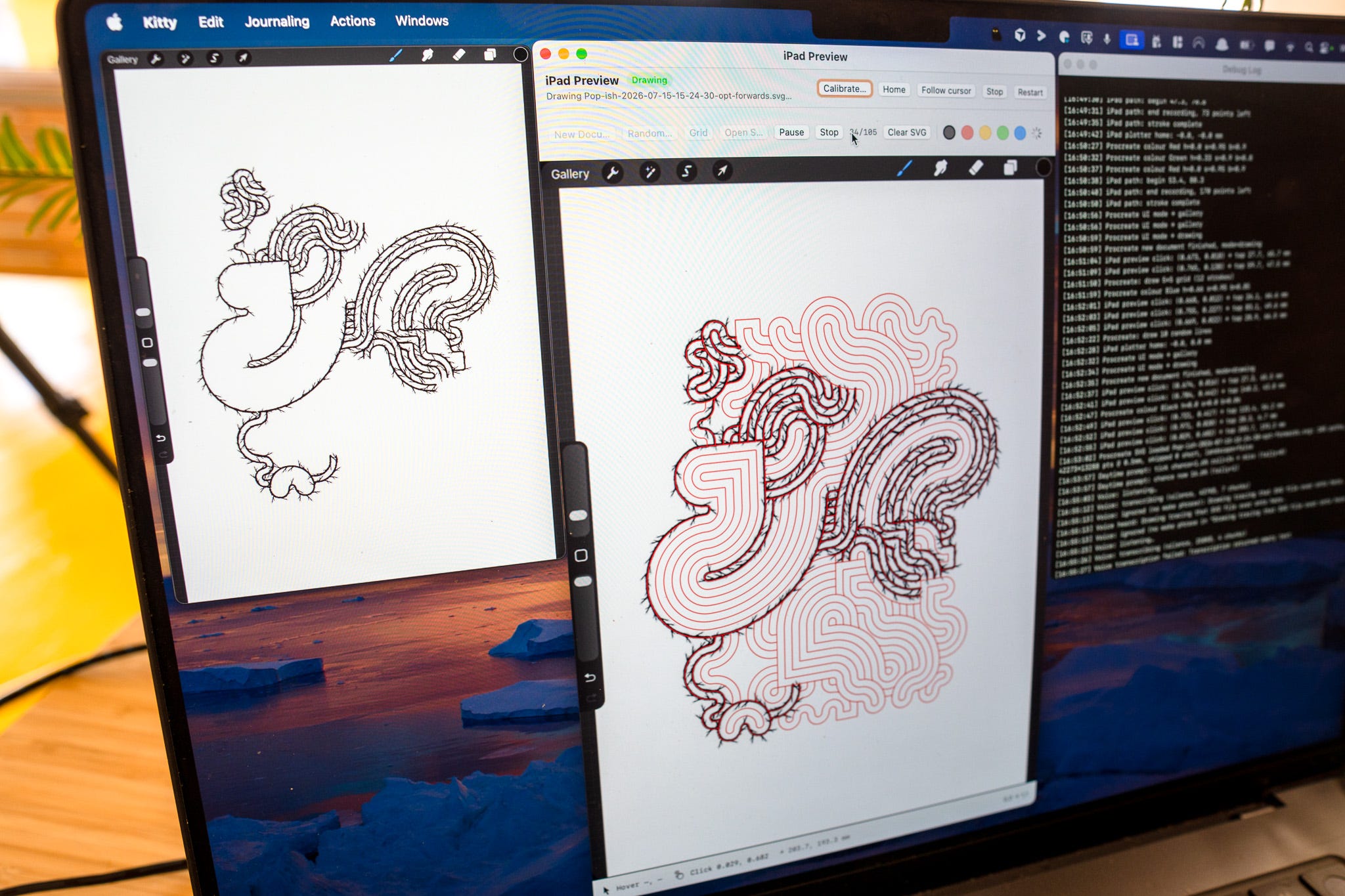
Step one, connect the iPad to the laptop.
Step two, open QuickTime and pick New Movie Recording, and select the iPad as a screen input. The iPad screen will now fill the QuickTime window.
Step three, in my own OSX app, it grabs (with system permissions) whatever is in the QuickTime window - the window doesn’t need to be visible for this btw, it’s grabbing what would be shown in the QT window rather than grabbing the screen - small but useful detail. The QT window is the small one on the left in the above image.
Step four, in my own app, it displays the contents of the QT window, but I can now put overlays on it, and I can click and drag on the window - which controls the pen plotter via the BantamTools python library.
The short is, once I’ve recorded the position the plotter needs to tap the top-left and bottom-right corners, we can then calculate any position and map anything on the virtual screen to the clicking and drawing on the actual iPad.
# POWER LINES PLOTTER ART
I enjoyed watching this video about the thinking behind and then execution of this project, it’s a good 10 minute watch while eating lunch.
I wish more people explained their art like this, although I can understand the many reasons why people don’t.
We’ve linked to Cadin before with his “Creating a System for Dynamic Plottable Text in Processing”, back in newsletter, hmmmmmmmm, #27- Super Stupid Patreon Maths- Super Stupid Patreon Maths.
# GHOSTS
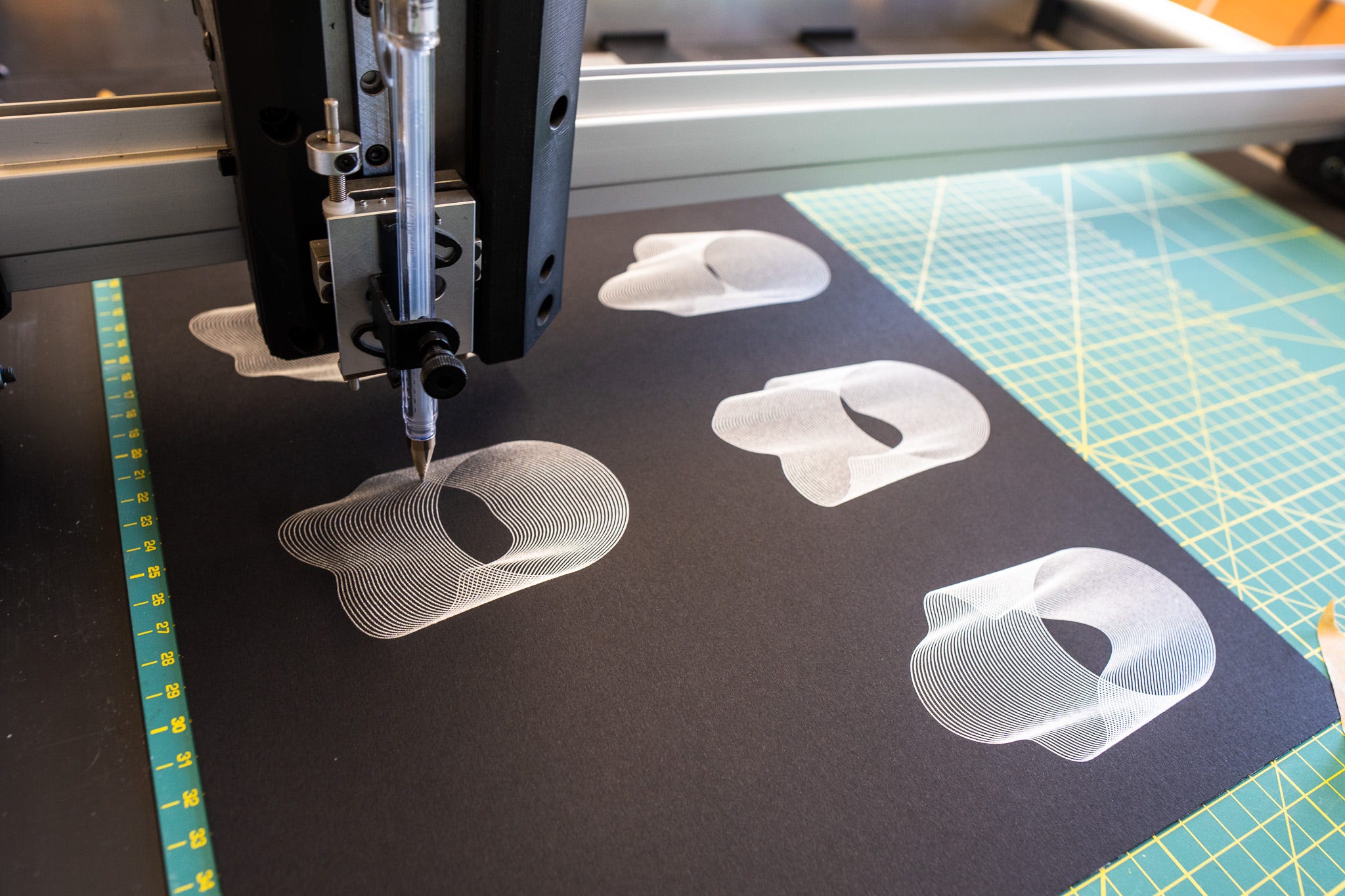
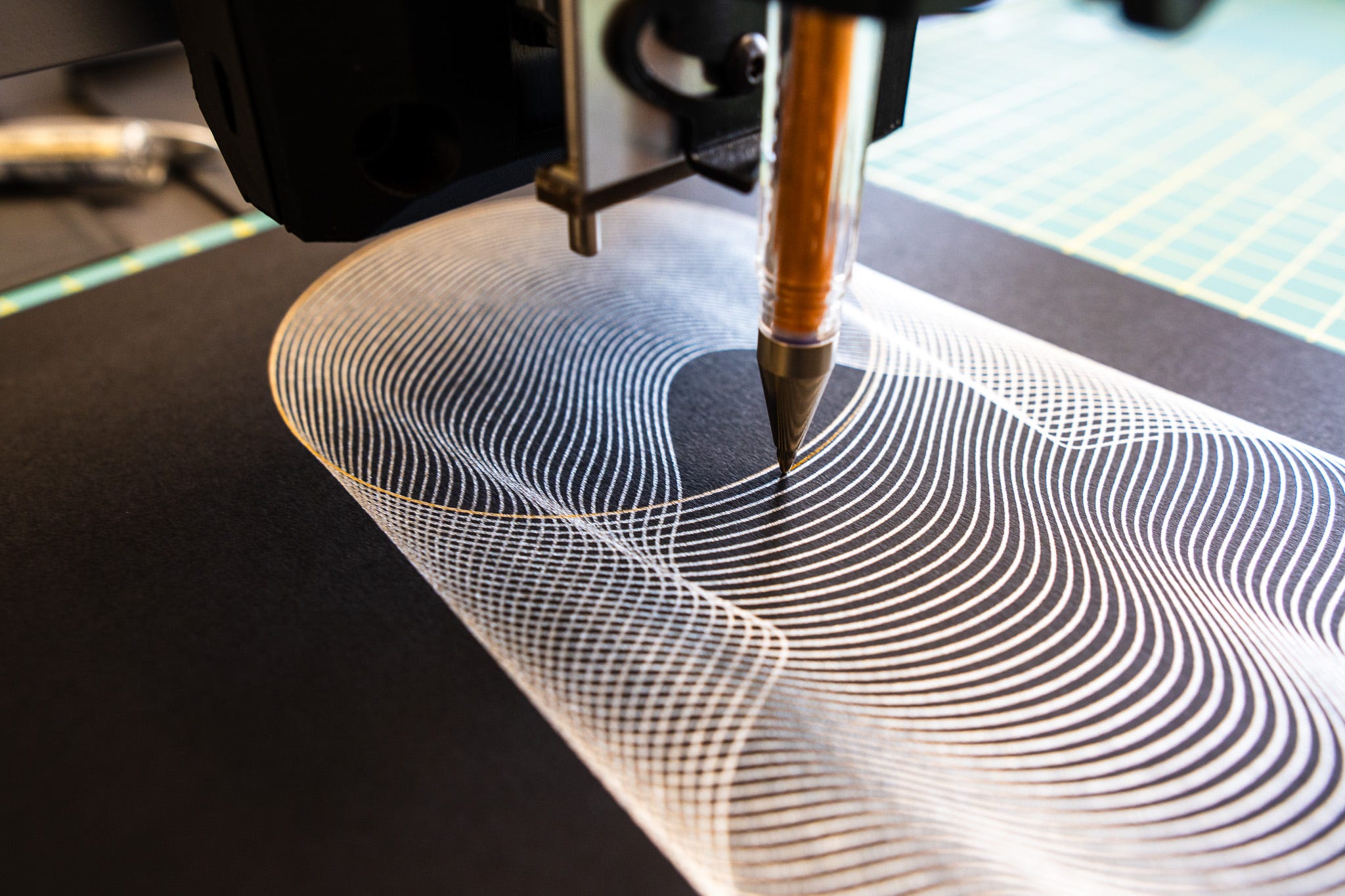
The Patreon plots this month got me back into plotting the “Ghost” design.
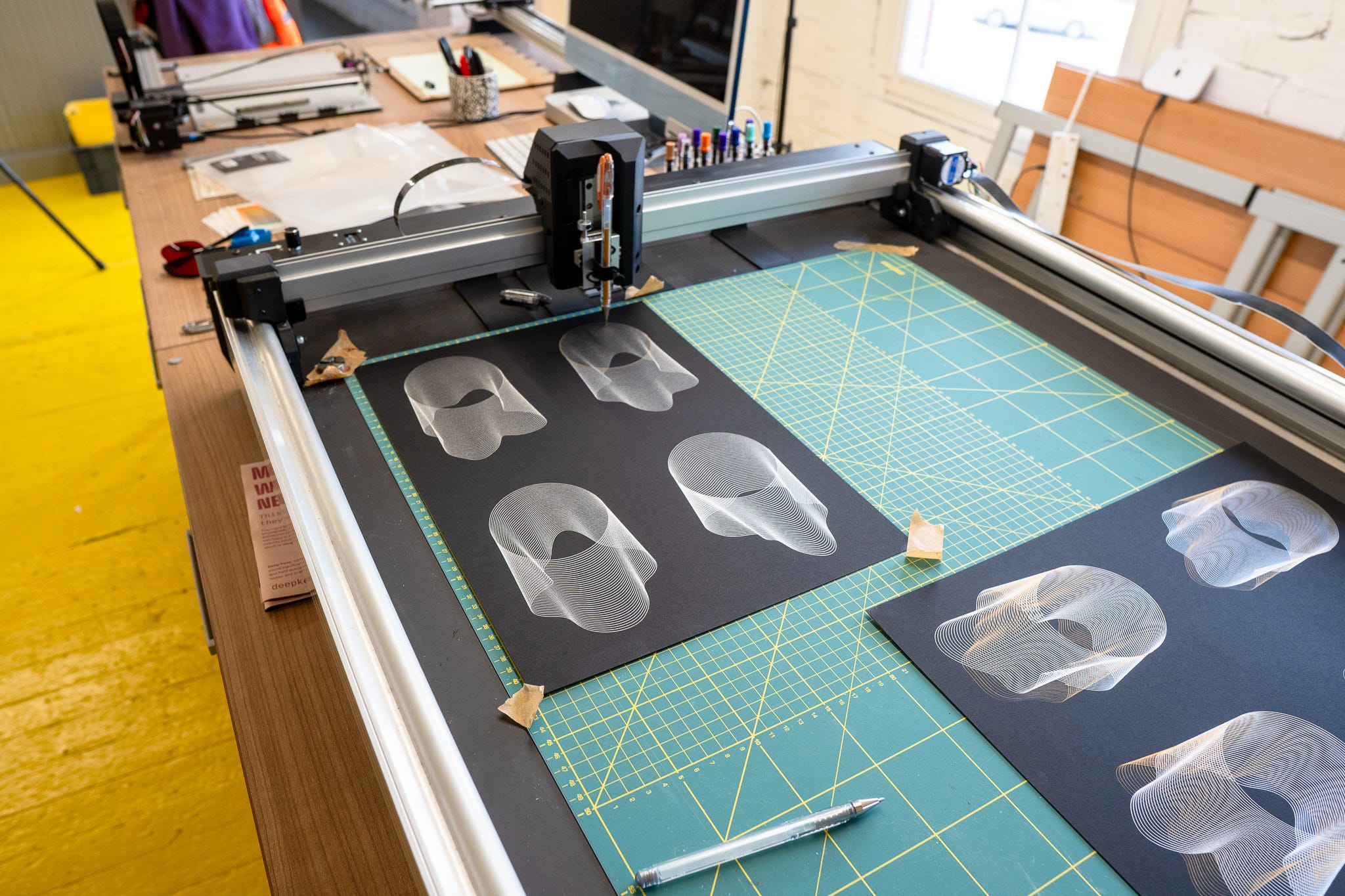
And had me also revisiting the tools I use to create it.
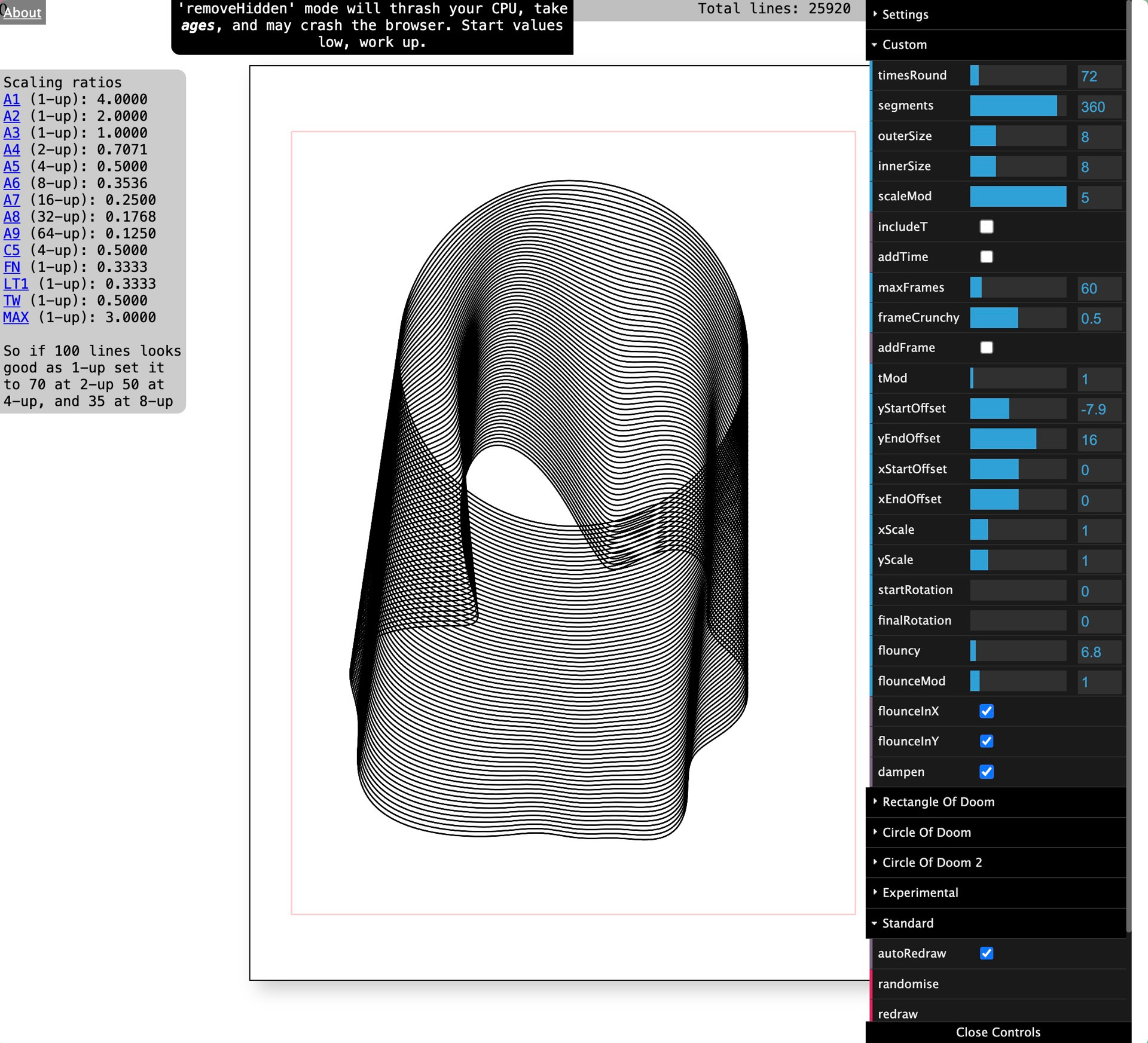
I’ve always used this page which started off as a spiral generator with Perlin noise and then dialled in the settings to give me a “ghost”, and there’s way more controls than I actually need.
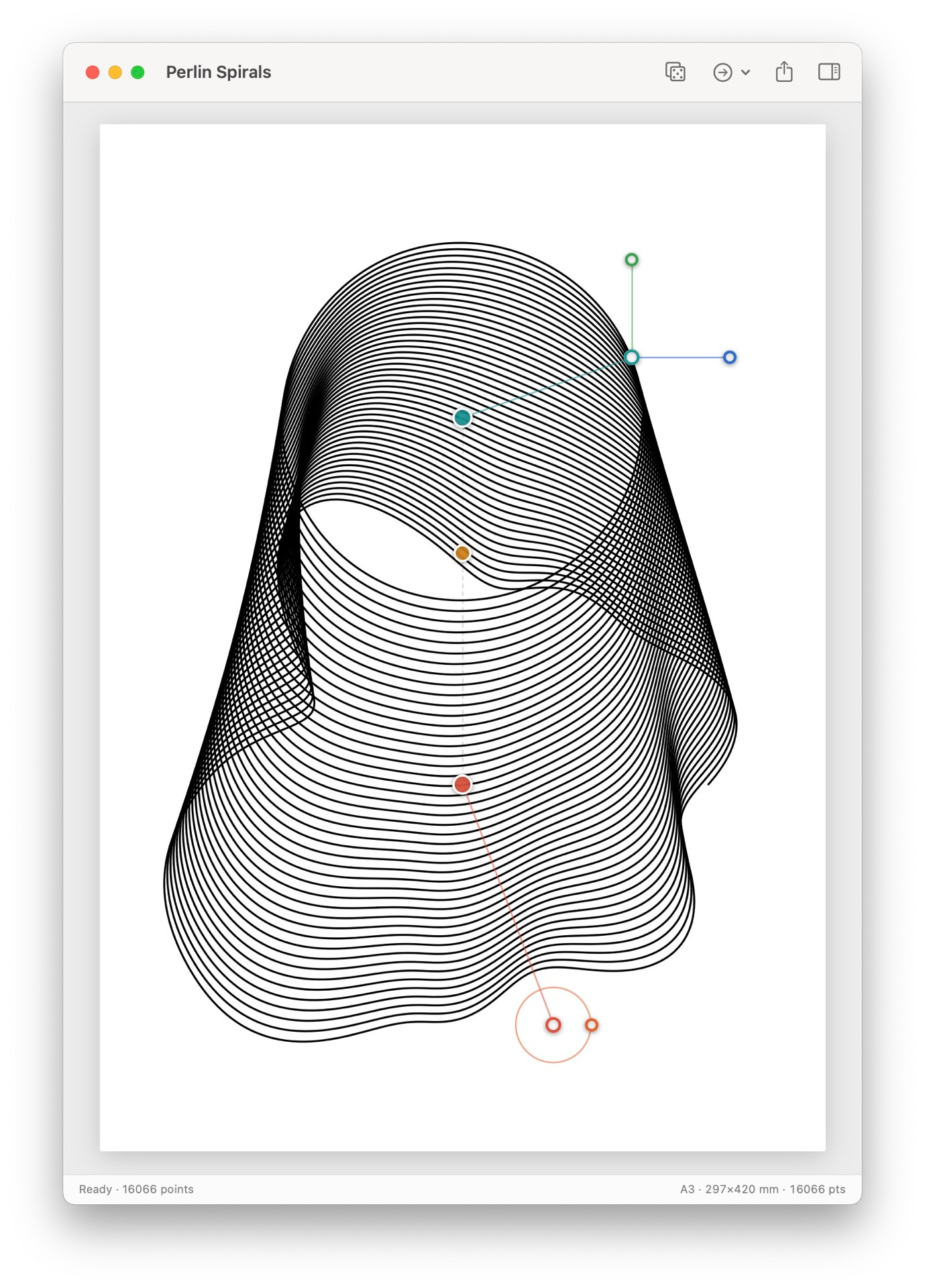
So I rewrote a simplified version that focuses on just the things that I normally tweak, where I can grab nodes to adjust the starting and ending positions & radius, “flouncyness” and so on. Which means I can create “Ghosts” a lot faster and easier too.
I’m thinking about going back to other plots design I often use and reducing them down to just the values I normally tweak.
Always a joy to go back to old project and revisit them with fresh eyes and coding knowledge.
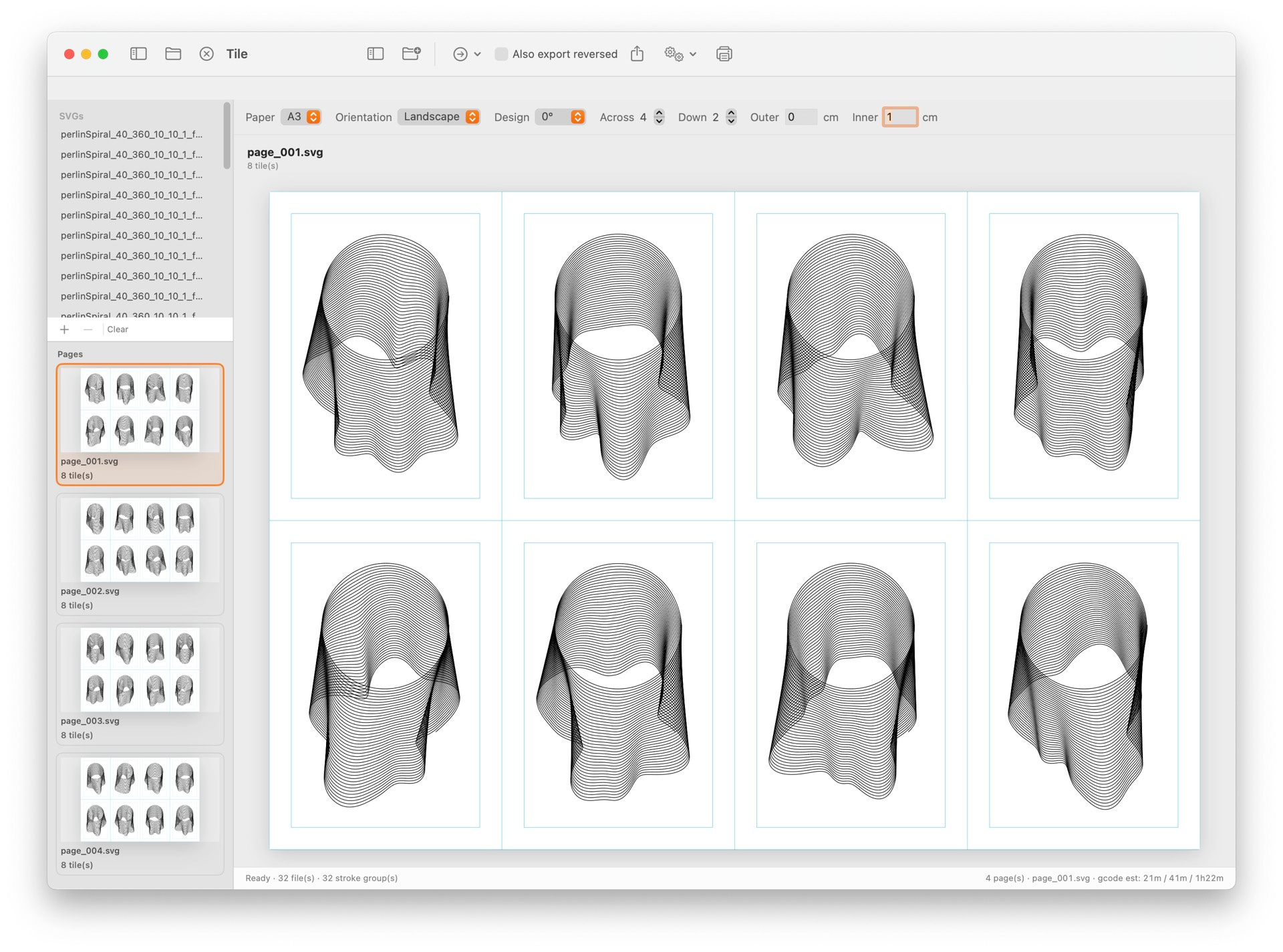
Another tool I kept coming back to was wanting to tile things easily, so I spent a lot of my spare time in the last two weeks working on that too.
# THE END
When this newsletter goes out, I’ll probably be in a pub (not drinking) and being social, I’m sure it’ll be very enjoyable but many spoons will be spent. I’m very much looking forwards to being able to crash in a hotel room and just sleep with the air-con on full blast.
I hope you’re all doing very well, and having a chance to not only push forwards new projects but revisit old ones.
I’m getting a hunch that next newsletter (Thursday 6th of August, date fans) will be book review heavy, as a few have landed on my desk recently and I haven’t had a chance to talk about them yet!
SEND ME YOUR RECOMMENDATIONS (or put them in the comments).
Lots of love
Dan
🧡
I love how many different things you're doing and yet how well they're all dancing together. Super cool! Also, wish it was cool weather for you. UGH! Sounds dreadful.