


This my favourite pen plotting thing I’ve seen in the past couple of weeks, built by Frank Force, over on github here: https://github.com/KilledByAPixel/VirtualPlotter and a demo running here: https://killedbyapixel.github.io/VirtualPlotter/
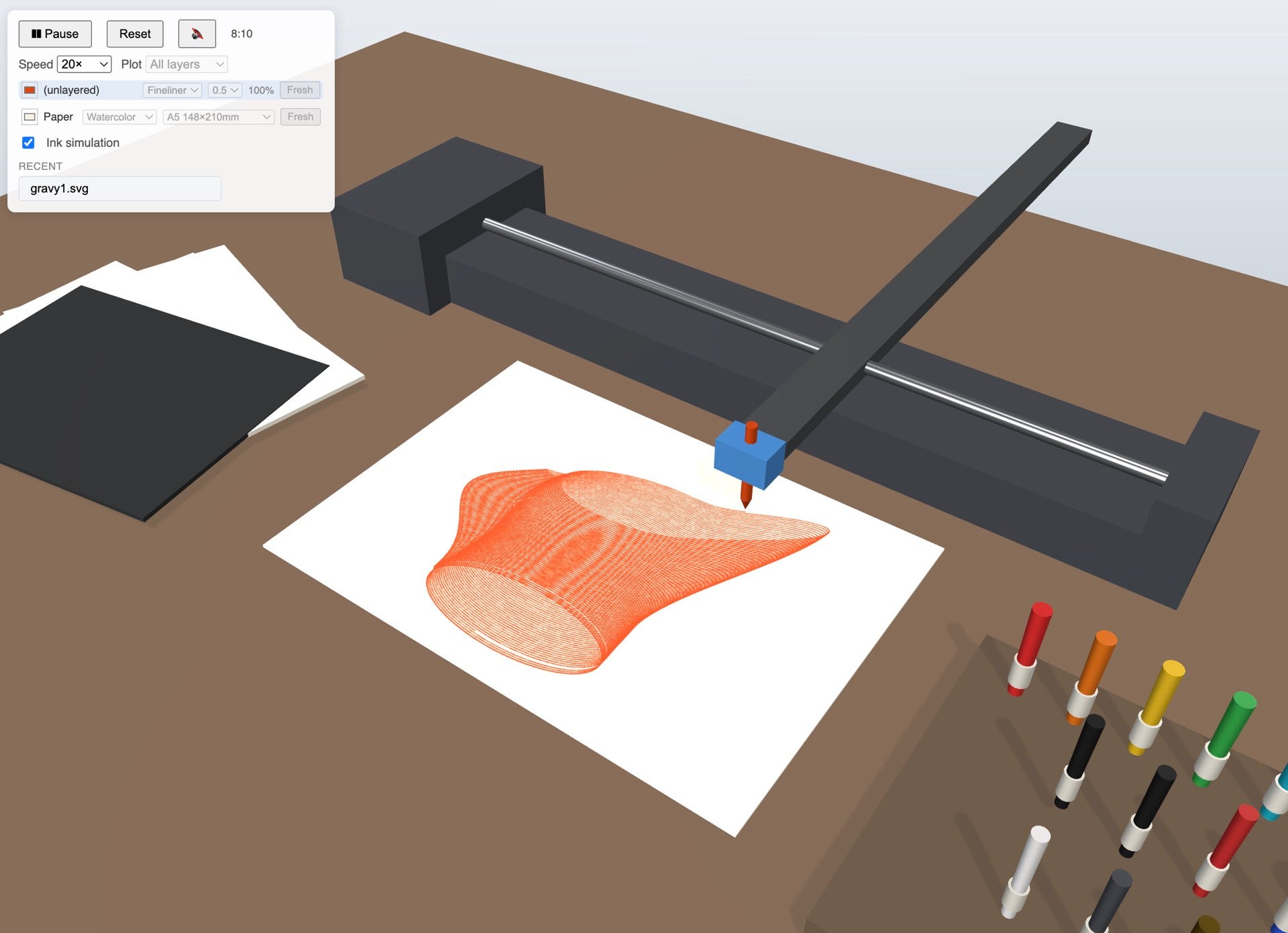
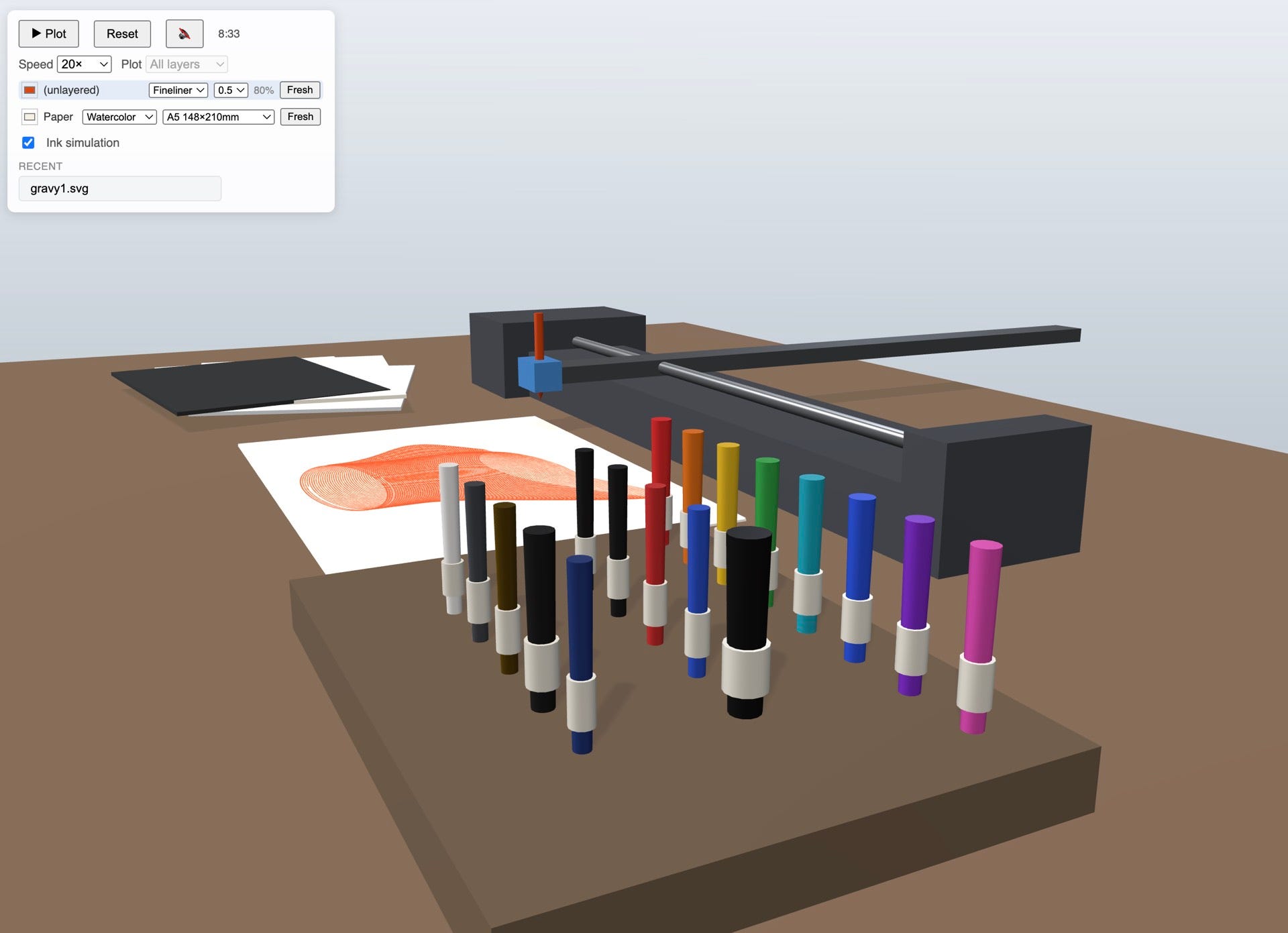
Normally I wouldn’t link to something still early in it’s work-in-progress phase, and there’s been changes and new features added since I last looked, so I guess, keep in mind that it’s in flux.
One of the reactions over on reddit made me laugh.
“This is both so dumb and so brilliant at the same time”
I think it’s wonderful and useful for a few reasons.
I’m making drawing machine tutorial videos (I may have mentioned it), and some people watching those don’t have a pen plotter yet. While you can just look at the SVG output, I think it’s more useful to be able to see what would (most likely) actually happen, and see it getting drawn. You get a much better sense of how your code relates to the actual act of plotting.
If I’m running workshops, or a class for students it’s normal for the number of students to outnumber the plotters, and also a single plot can take a while essentially blocking a whole machine. With this virtual plotter students can start experimenting and quickly iterating on designs, and also see something interesting happen based on their code.
If you have a drawing machine running at a gallery or show, it’d be fun to have the virtual one running on a screen nearby so people can pick from a list of designs and see them get “plotted” (the tool allows you to speed up the plot). Or even have two screens/system; one where people can twiddle-knobs to make their own design and then send to the Virtual plotter. The code is up on github so shouldn’t be hard to bridge like that.
[feature coming soon 🤞] - being able to select the plotter size, paper size and give it your design, then watch in horror when it tries to plot your A3 design onto an A5 sheet of paper, with an A4 plotter, with all the correct crunchy noises. Because we’ve all accidentally done that, and it’d be nice to sanity check a plot you’re about to do.
Thinking about it, if I were Bantam Tools, with access to the 3d cad files of the NextDraw, I’d snap up a custom version of this, swap out the plain rectangular carriages for NextDraw styled ones (it uses threejs after all) and put it on the website as a useful tool.
# IPADing
Alrighty, so, over on Patreon this month the theme is pen plotting, but on an iPad. Which is something I’ve been wanting to try for a while.
Specifically coding in the location of various bits of UI on the Procreate app, so Kitty (my AI PA) can have access to creating new pages, selecting brushes, colours and brush size, and then having a go a drawing.
There’s about a million reasons why this is somewhat foolish, but also, it’s fun, and maybe I can get Kitty to play Hearthstone too 🕹️
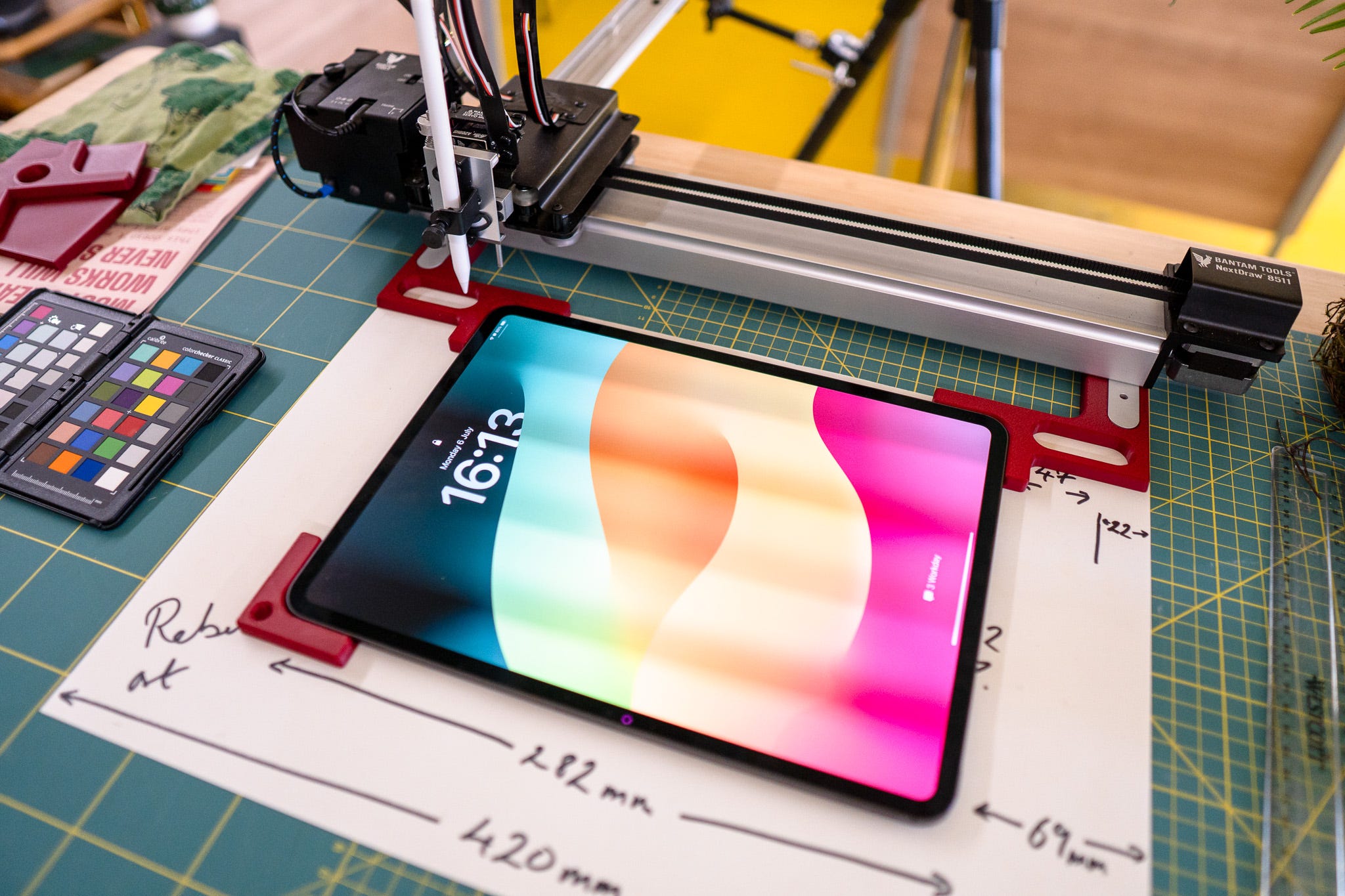
I knew the first thing I’d need would be a way to have the iPad always been in a known position relative to the plotter, so I took some measurements., which you can see here…
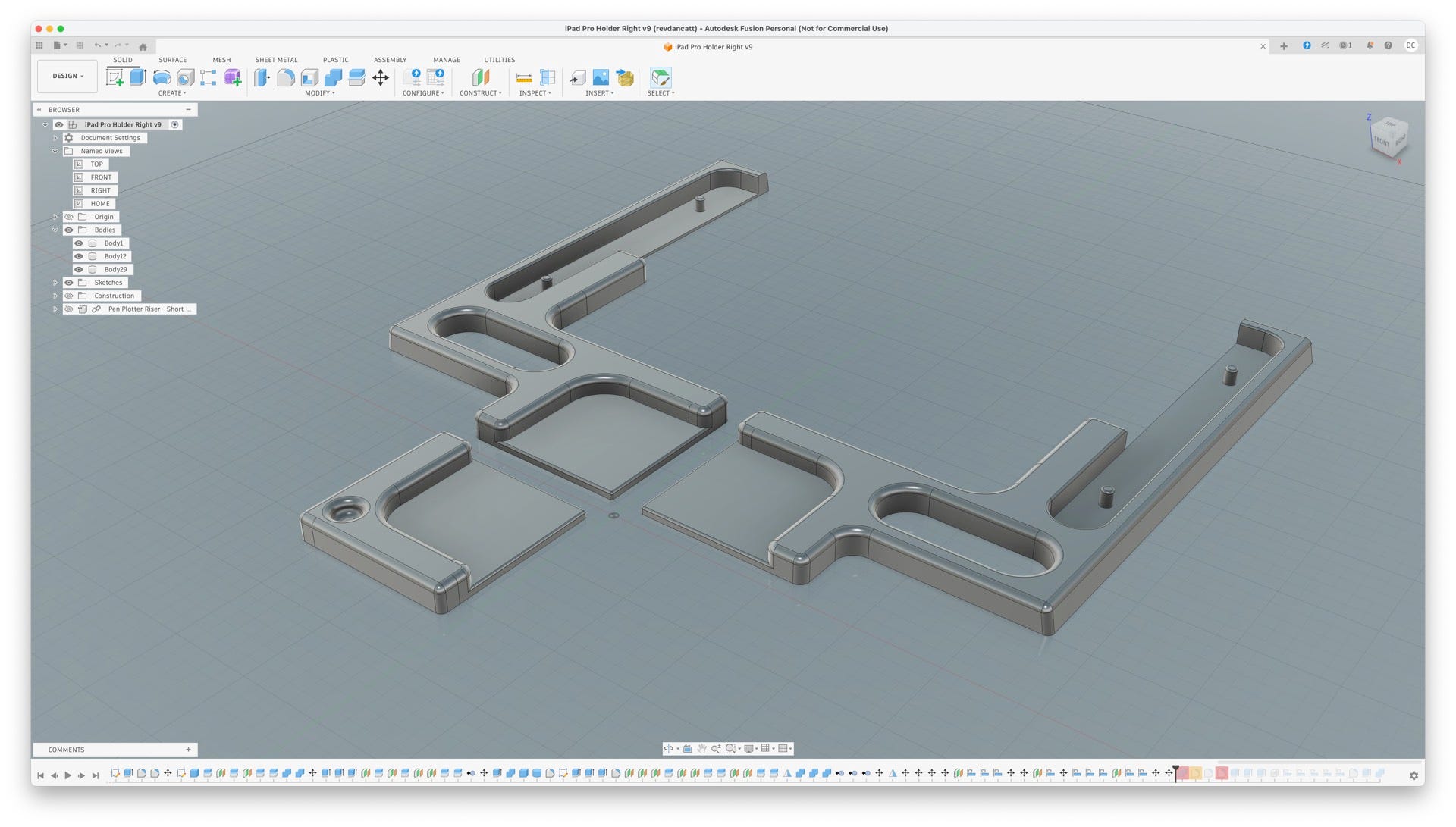
Then went through a number of iterations of a jig, four in total.
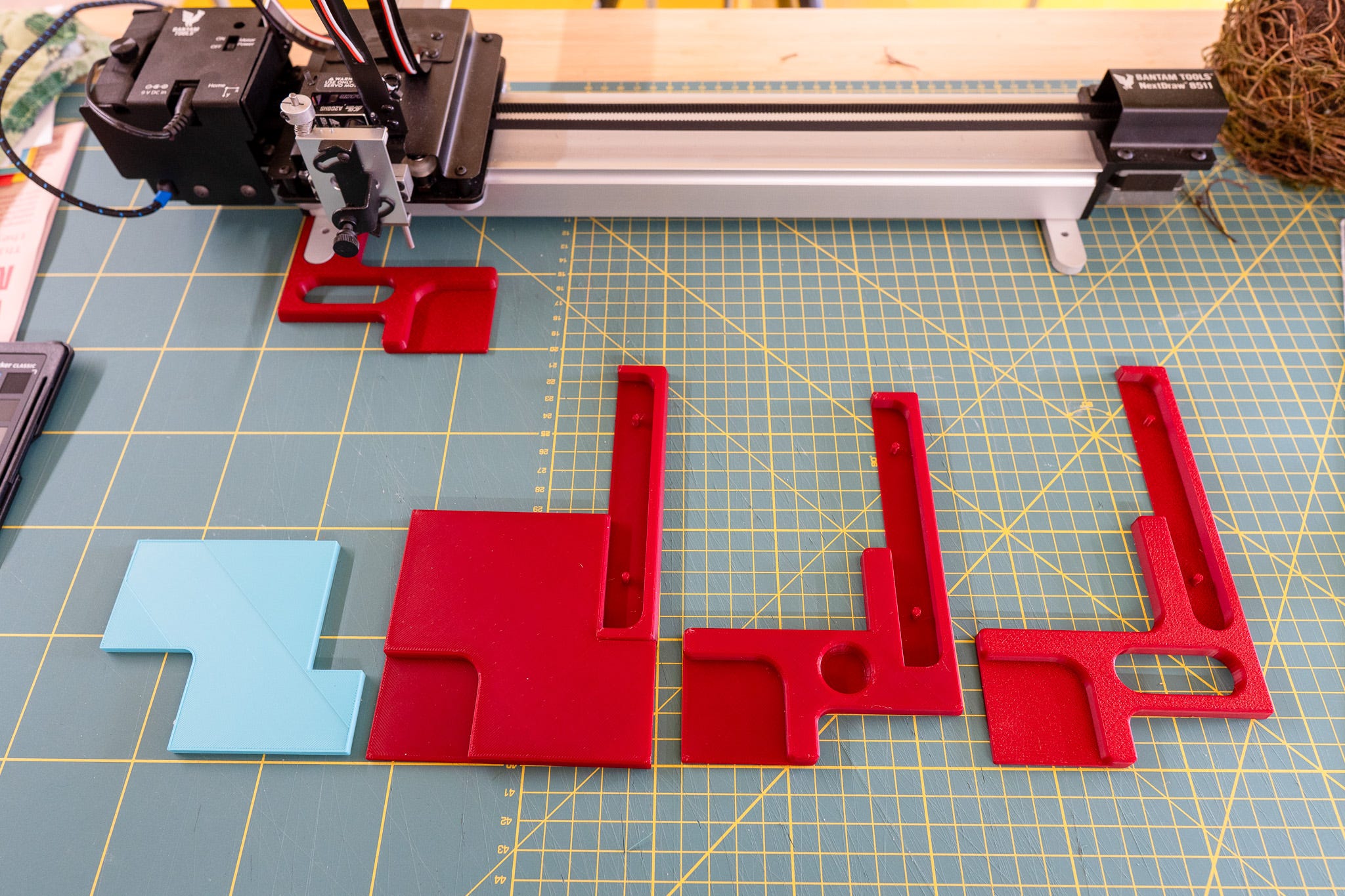
The last thing to do was take account of the camera bump in the corner of the iPad that makes it not lay flat - which is fucking weird from a design point of view if you think about it too much, Braun would never!
Anyway, I guess who needs the iPad to lay flat? Well, this guy.
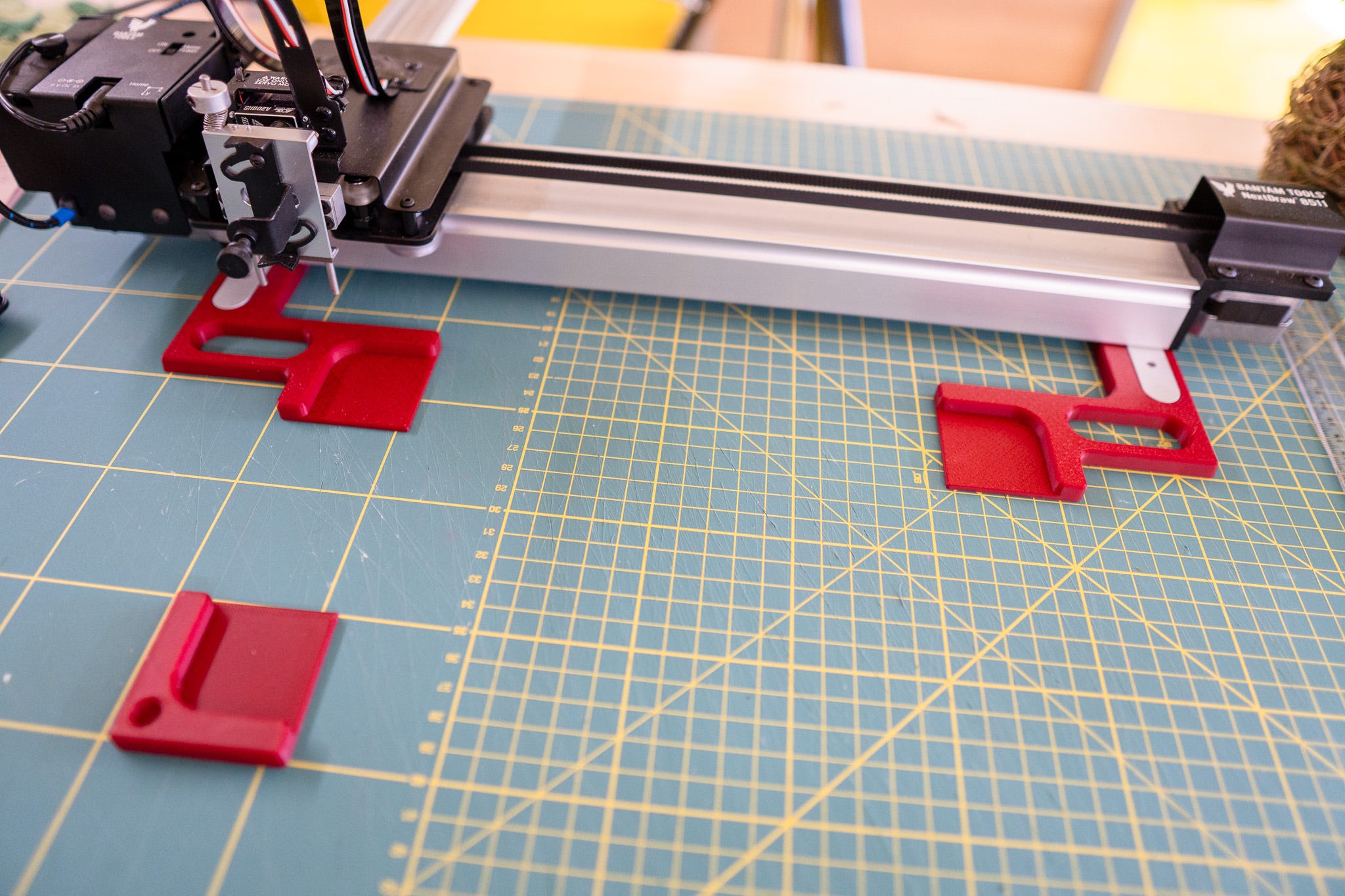
So with a bonus corner, and 2.3mm high “ledges” I ended up with something that fixed to the feet of a NextDraw 8511, with the exact measurements to hold a 13” iPad Pro (M4 I think)
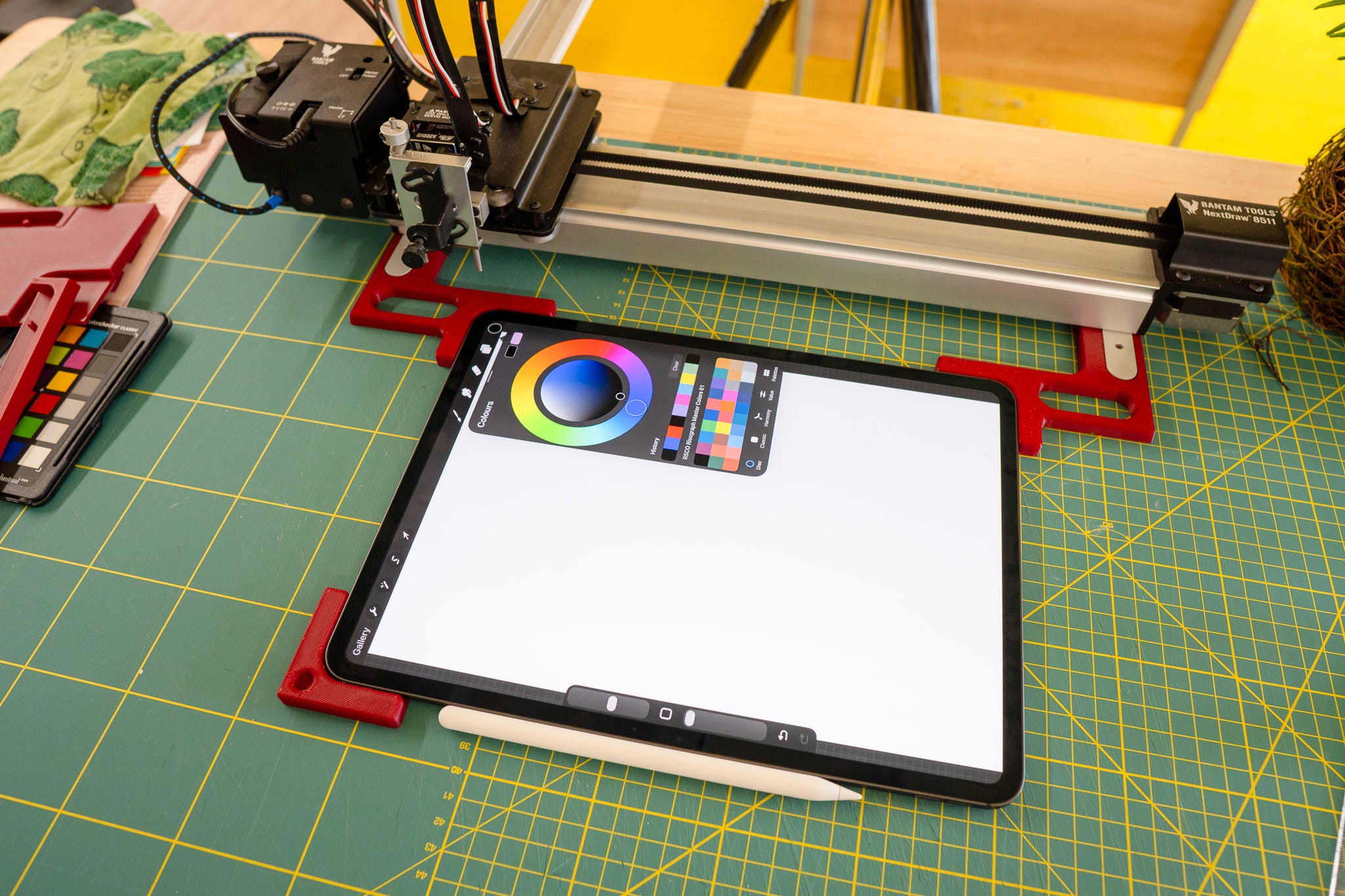
Which I know is incredibly niche, but once again an example of the usefulness of a 3d printer and being able to make your own shims and jigs for this kinda of thing, and also attaching things to the feet of the plotter is cool (imho).
# TOOLS
I like the “Art Studio Robots!” in the title of this newsletter, oh, but wait…
Annoyingly I can’t find the link because it showed up in my Instagram stream and now I can’t find it again. I mean it’s this reel from drawscape, but it was one that was shared/reposted 🤷♂️ on someone else’s account. So while this one has a couple of comments, the one I saw had like a gabillion…
…thankfully for me I saved a bunch of the comments, I’m going to put a few choice ones down below, grouped into Genus, this was the top one…
“To start, it’s not a robot, but an automaton, because it doesn’t make any decisions... but then, that technology already existed in 1953. As a hobby project it’s fine, but calls things by their name. Anyway, nice drawing.”
…and I don’t think that “Drawing Machines & Notes from Art Studio automaton” has quite the same ring to it.
There was also team “vector”
Bro it’s called vectoring and it takes like 5 seconds
Vectors 🚪🚶
so its vectors
Fancy way to avoid saying VECTORS
Now, while these people may be technically correct and technically cockwombles they appear to be failing to grasp the difference between saying-what-the-thing-is-technically-correctly and marketing.
While drawscape does isn’t my cup of tea, I think it’s a brilliant product/project; an ever growing library of “blueprints” that people can order, specify the paper and pen type, and then they’re pen plotted to order. It’s like a perfectly neat, self contained, well focused business, with little overheads except time and dedication.
The hard part is explaining, or marketing what exactly it is to people. First you have to explain why it’s different to normal printing, why they should care, how it’s not “mass produced” in the traditional sense, and there how it’ll make a great gift.
Saying “here’s a series of deterministically programmed toolpaths made from vertices and vectors, outputted as GCODE and draw with an automaton x,y plotter” doesn’t have quite the same ring, and means pretty much fuck all to anyone who doesn’t already know what the hell all that means.
(all those phrases were mentioned in the comments btw)
From the “it’s a plotter” gang, who don’t seem to grasp that “robot” makes more sense to most people than “plotter”.
Look up the word “plotter” for goodness sake
Pen plotter!!!… 🤣😂🤣😂 Hewlett Packard had HP 7475A, 7575A plotter back in 1980. I know because I got sick and tired of fixing, replacing, calibrating and adjusting the pen carriage and pen carriage belts!!! Beautiful device! Nothing new!!!
Let’s reinvent the plotter and call it something else.
There’s also the “my 3d printer can do this” cohort, of which there were too many to mention, but this was my favourite…
“Imagine getting all excited because you’re using a 3D printer like it’s an ’80s plotter, when a 3D printer is literally just the evolution of those same plotters with one extra dimension added (2D → 3D).”
Drawscape is literally using a 2d plotter in the video.
I’m not even sure if their “my 3d printer can do this” is the flex they think it is while watching a video about a tool specifically designed to do the job it’s doing 🤷♂️
And finally of course
can’t u just get chatgpt to do it for you
Is this AI art ??
How’s this different from AI art ?
AI does it in seconds
Ai may be taking artists jobs
I guess the short take away from this is; if you try and make something easier for most people to understand - which is good - and you get a sudden influx of viewers (due to reposting or whatever), then with great views comes great fuckwittery.
Thankfully I didn’t attempt to respond to anyone, that way lies madness.
# THE END
In the last newsletter I mention how it was hot, too hot, too hot to do anything.
Yeah, well, that, but with a couple more degree Celsius thrown on top, which means I’m technically 1.06451613% more hot and grumpy today than I was when I wrote the last newsletter. Which probably also explains why this one is about 30mins late, and most likely full of typos!
The next newsletter - Thursday 23rd July, 2026 for those following along at home - will hopefully be written in a somewhat cooler studio. Otherwise that one is even more likely to end up in the spam filter than this one due to excessive swearing.
I was going to make the next couple of Drawing Machine 101 videos this week, but I would die, so once again we’re waiting another week for those. I’m waiting for them all to be over so I can get back to normal making videos about what I’m doing.
Although I’m starting to feel that having a series of “how to code for drawing machines” on YouTube is going to be my only defence against “bro this was vibe coded!” - I can simply point them to far too many hours of hand written from start to end plotter code and tell them to come back to me after watching all that.
Actually those videos and all the previous ones going back years may be the only way to prove I’m a real human who can really code, thank goodness I started back then rather than now.
And on that cheery note.
Love you all
Dan
🧡
Ah yes, the "the camera bump in the corner of the iPad", a.k.a. the "mess up the edge of my nice vintage wood nightstands" feature. 😑
We need a cockwomble emoji to save time and effort.